| Dev Portal
Synchronizing Polaris with your SCM Provider
Overview
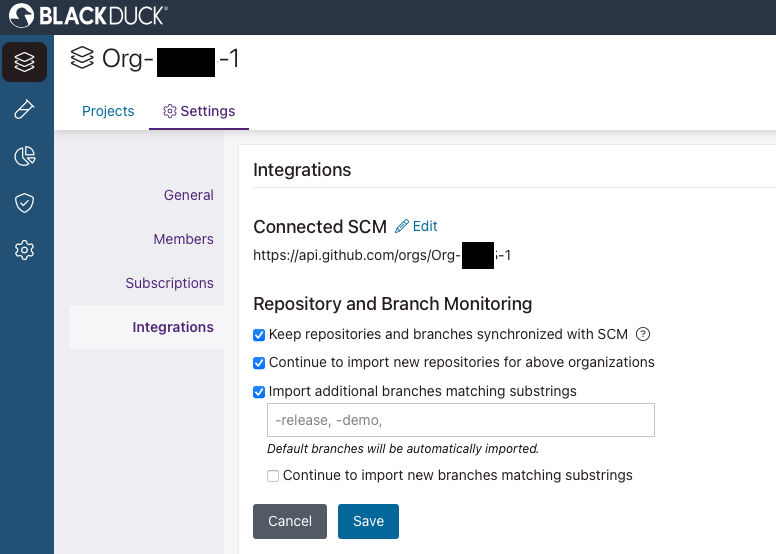
Polaris provides seamless synchronization with your SCM provider. These settings can be enabled either during the onboarding process or for an existing organization or application. You can customize these settings at both the organization and application levels.
These settings allow automatic tracking and monitoring which will:
- Onboard a repository created on the SCM provider to Polaris which will create a project with a default branch. When onboarding a branch from the SCM provider, Polaris will create a corresponding branch for the specified project.
- Update a project or branch name whenever the repository or branch name is modified on the SCM provider (not available for GitLab).
- Update the default branch whenever changes are made to it on the SCM provider.
- Delete a project and its associated branches when the repository is deleted from the SCM Provider.
- Delete a branch when it is deleted on the SCM Provider.
- Import and sync non-default branches by using matching substrings (default branches are automatically included).
Note: Editing or deleting synced projects and branches in Polaris is not allowed.
Prerequisites and limitations
- Azure Repos, Bitbucket Cloud (Premium), GitHub, GitHub Enterprise, or GitLab SaaS (Premium or Ultimate).
- On-prem deployments will need to allow IPs for Polaris.
- An SCM integration that supports synchronization (see Connect a Polaris project to a repository in your SCM or Connect Polaris to Multiple SCM Repositories).
- The access token used for integration must fit token requirements:
The following roles can manage synchronization:
- Organization Admin
- Organization Application Manager
- Application Admin (only for applications they are the admin for)
Synchronizing Polaris with your SCM Provider
-
Select the appropriate level to sync.
You can configure synchronization at two levels:
- During onboarding: Use either Automatic or Custom Matching. Custom matching does not allow for importing new repositories for the whole organization.
- Application: Select .