 | Dev Portal
GitHub and GitHub Enterprise Cloud
How to connect a Polaris project to a repository in GitHub or GitHub Enterprise (Cloud).
Note: Follow the steps on this page to connect a single project to a single GitHub repository. Alternatively, GitHub repositories can be imported into Polaris in bulk. For more information, see Connect Polaris to Multiple SCM Repositories.
Prerequisites
Create a personal access token
Authentication between GitHub and Polaris is
managed with a personal access token (PAT) that you create in GitHub. If you
haven't done so already, follow the instructions in the GitHub documentation
to create an access token: GitHub > Managing your personal access
tokens.
Important: To use Event-Based Test Automation in Polaris for SCM Integrations and Synchronizing Polaris with your SCM Provider, the token you use has different
requirements, see GitHub Tokens for SCM Bulk Integration and/or Monitoring.
When creating an access token:
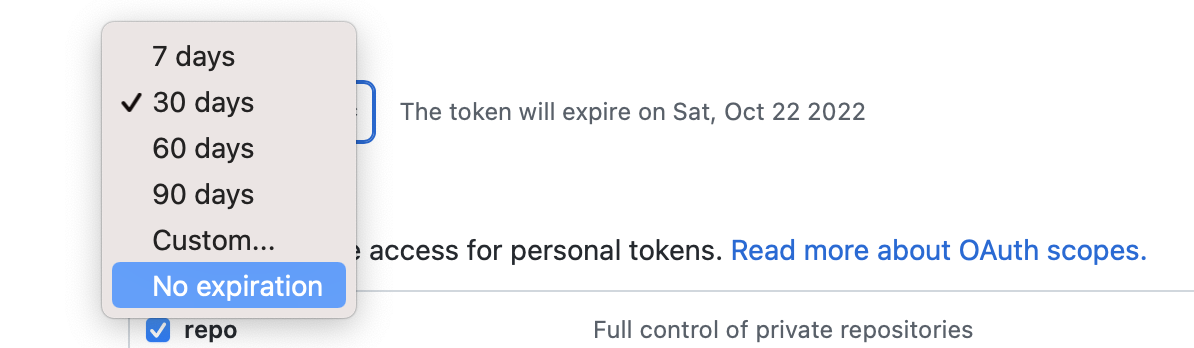
- Set the token's expiration date. To avoid issues, we recommend No expiration.
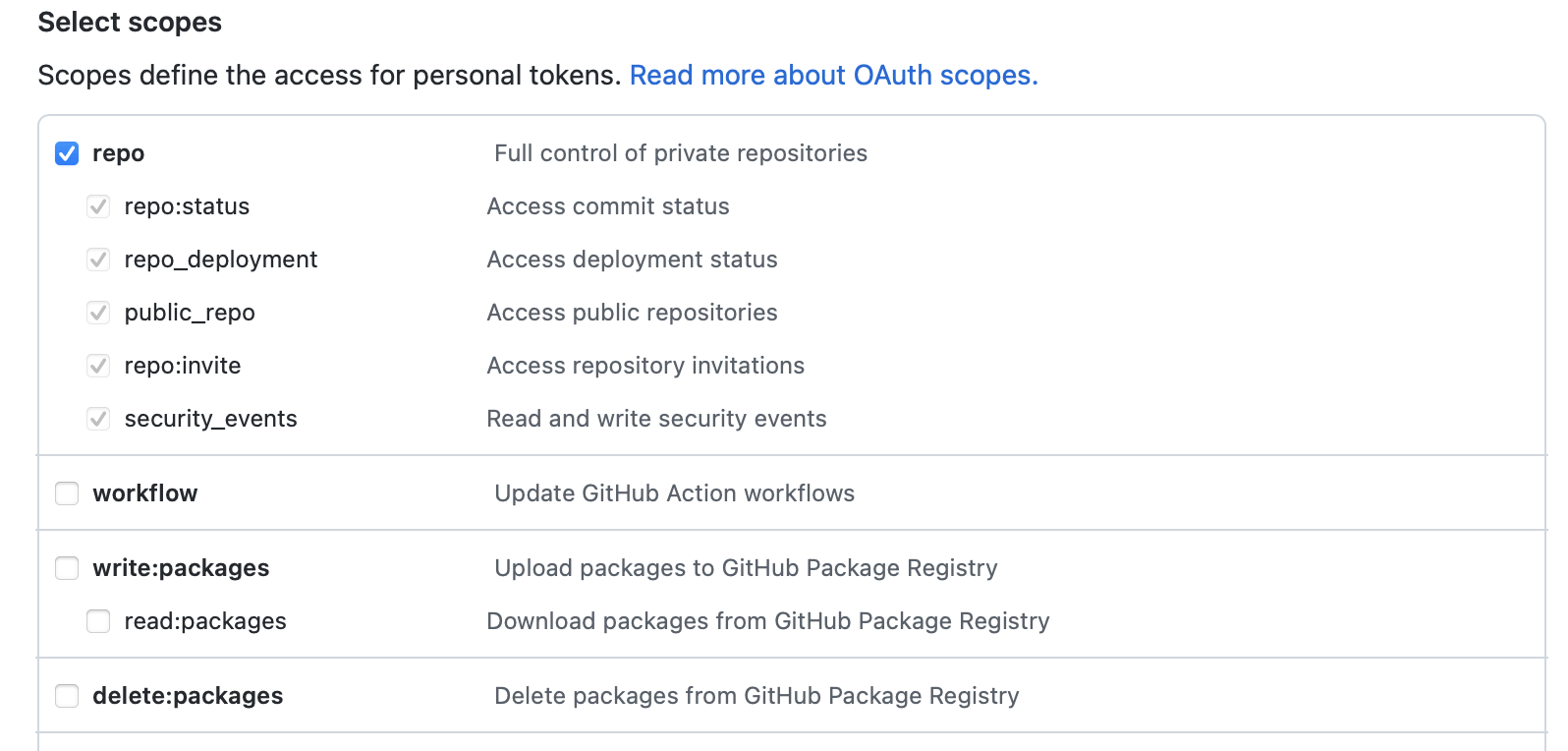
- Under Select scopes, access to repo is required.
Important: Store your token in a secure location. Each time you modify a project's SCM integration, you'll need to reenter the token to save your changes.
Connect to a repository hosted in GitHub or GitHub Enterprise (Cloud)
-
Enter the Repository URL.
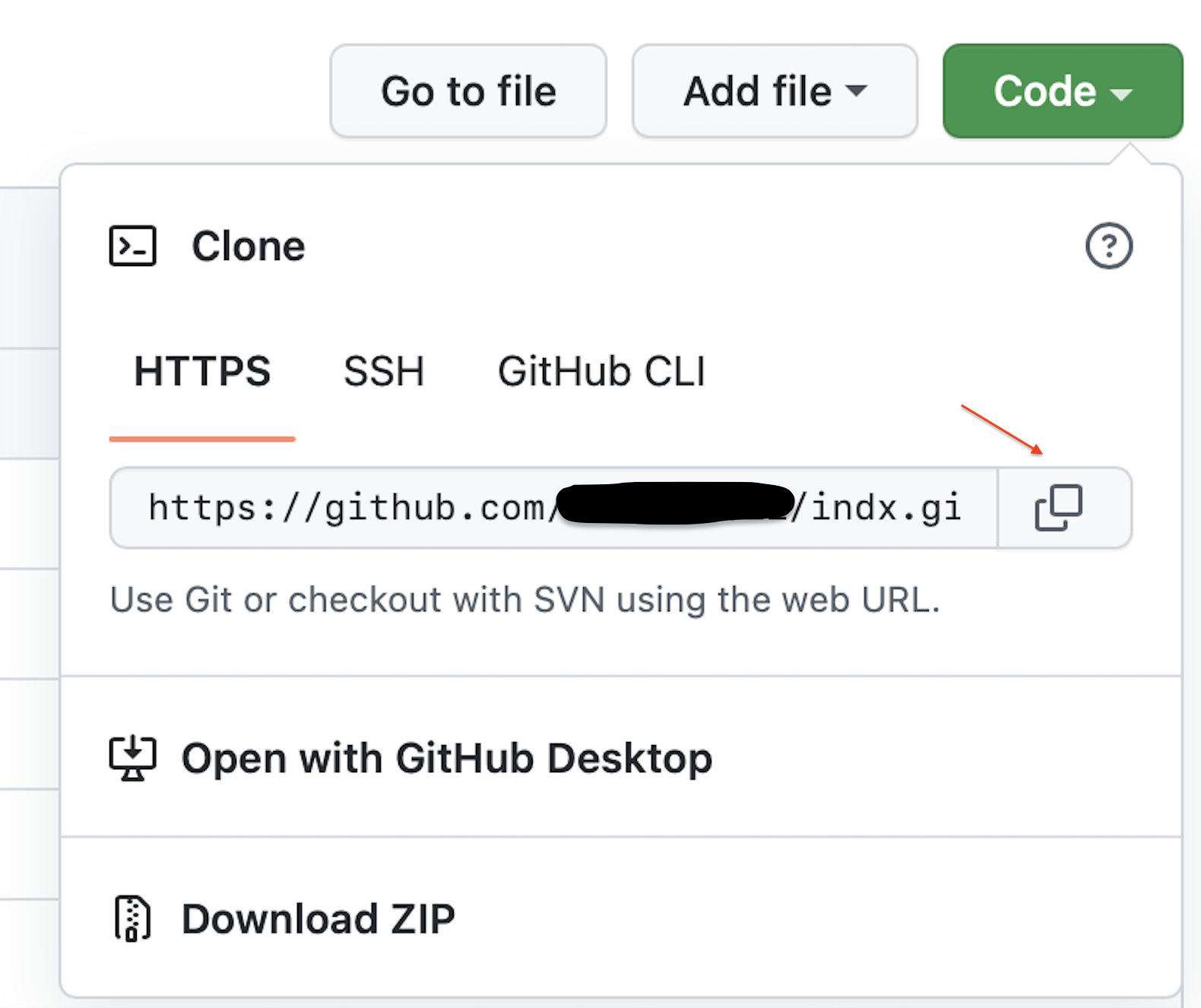
To obtain the repository's URL, open the GitHub repository in a browser and select Code. Copy the HTTPS URL (SSH is not supported).
Next steps
Now, you can scan on demand (see How to test from the web UI) or schedule automatic testing on a daily or weekly basis (see Test scheduling policies).
Note: From the Tests screen, before beginning a test manually, make sure to test the connection.